


Google Gemini
4.6152.29K Reviews
App Specs
- Version
- 1.0.928324527
- Updated On
- License
- Free
- Downloads
- 1,000,000,000+
- Developer
- Google LLC
- Categories
- Productivity
- Platform
- Android, iOS
Screenshots
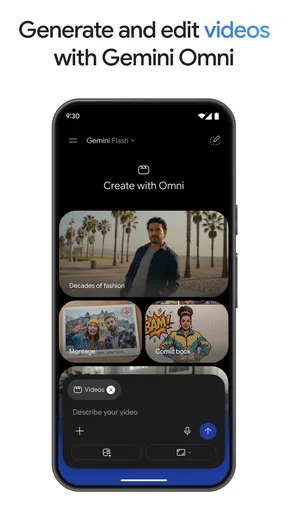

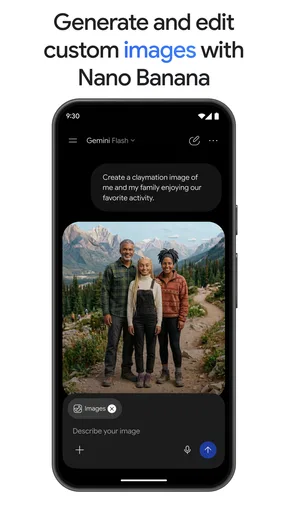
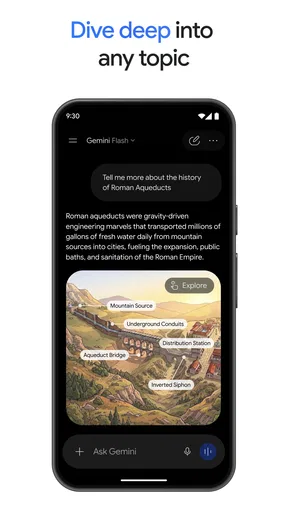
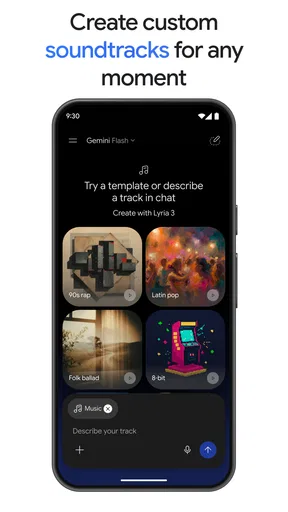
 Analysis by AppCompare
I tend to reach for an AI assistant when I have a half-formed thought that needs to become something useful: a rough plan, a clearer explanation, or a first draft I can edit. That is the practical appeal of Google Gemini. It is a free productivity app from Google LLC, and its best role is not replacing every tool I already use but helping me get from “where do I start?” to a workable next step. I would treat its answers as a starting point, especially when the task involves important facts or decisions.
Start with a real task, not a perfect prompt
For an ordinary day, I might open the app with a messy request: help me plan a weekend visit, organize a few errands, and leave room for a meal with friends. The useful move is to provide the actual constraints—what must happen, what can move, and what matters most—instead of asking for a polished plan from a vague sentence. Then I can ask for a simpler version, a different order, or a short checklist. That back-and-forth is where a conversational assistant can save effort: I do not have to know the final format before I begin.
I also find it helpful to separate brainstorming from decisions. I can ask for several possible approaches, compare their trade-offs, and then choose one myself. If the response sounds confident but seems off, I ask it to explain its assumptions or check the detail elsewhere. Gemini works best as a thinking partner, not an unquestioned source of truth; that distinction matters more than getting a clever answer on the first try.
Guides and Analysis on Google Gemini
Turn the first answer into something usable
A practical workflow is to start broad, then narrow the result in stages. For example, I might ask for an outline for a short presentation, request a version aimed at people unfamiliar with the subject, and then ask for a concise list of points to verify. Each follow-up gives me a chance to correct tone or scope before I copy anything into a document or share it with someone. I prefer that to treating the first response as finished work.
There is a useful trade-off here. A conversational request can feel quicker than searching through several pages when I need a rough explanation or a way to structure an idea. But a search engine is usually the better handoff when I need current, source-backed information, while a dedicated notes or task app is better for keeping a dependable record. Gemini can help me prepare those materials; I still need to move the final version into the place where I will actually use it.
Know what should stay in your hands
I would not use an AI-generated plan as a substitute for checking appointment details, policy wording, medical guidance, or other high-stakes information. Nor would I paste private material into a chat casually. A safer habit is to describe a situation in general terms, remove identifying details, and verify consequential claims through an appropriate source. For everyday planning and drafting, the stakes are lower, but a mistaken assumption can still send me in the wrong direction.
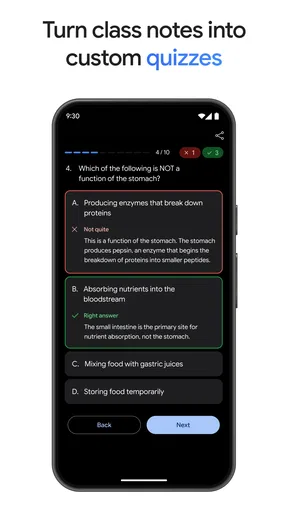
That makes this app especially appealing to people who enjoy working through ideas in conversation: students shaping a study plan, writers getting past a blank page, or busy users who need a first pass at an itinerary or checklist. It may be a poor fit if you want a conventional task manager with a stable list as the main experience, or if you need every answer to include dependable citations. In those cases, I would use a purpose-built organizer or a search tool alongside it rather than expecting one assistant to cover everything.
Worth Reading Before You Choose

Switching to Android Auto Means Rethinking Your Driving Routine

Google Calendar Makes a Crowded Week Easier to Manage

Baby Panda World Brings Quick Play to Modern Phones, but Its Game Library Feels Busy

ESPN’s Live Game View Makes Following Close Games Easier

QuizzLand Review: A Good Fit for Short Trivia Breaks, Not Every Player

Basketball Stars: Multiplayer Is Fast, but Can It Recover When Matches Go Wrong?
First Impressions
From the moment I launched Google Gemini, I was greeted with a clean, intuitive interface. It feels like Google really poured its heart into the user experience here. The app doesn’t bombard you with unnecessary information. Instead, it offers a streamlined experience that’s both inviting and easy to navigate. It’s like they knew exactly what we needed before we even asked.
Features That Stand Out
So, what exactly does Gemini bring to the table? Well, for starters, it’s packed with features that make your digital life a whole lot easier. Need help organizing your tasks? Gemini has got you covered with its advanced task management tools. The AI-driven suggestions are eerily accurate, almost like having a personal assistant who knows you better than you know yourself.
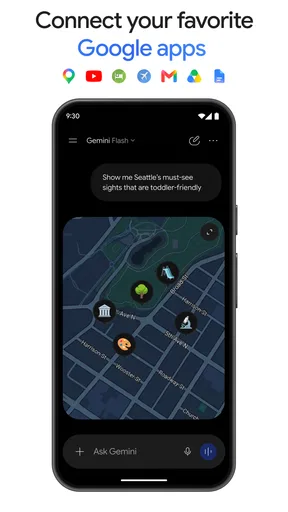
Another feature I absolutely love is the seamless integration with other Google services. Whether it’s syncing your calendar or pulling data from your emails, it all happens effortlessly. It’s like having the whole Google ecosystem right at your fingertips.
Why You’ll Love It
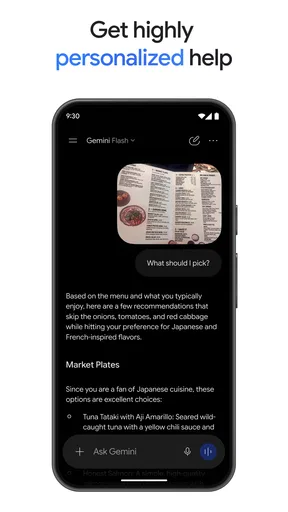
One of the things I find really appealing about Gemini is how it adapts to your preferences. The more you use it, the smarter it gets. It's like the app is constantly learning and evolving with you. Plus, the interface is so user-friendly that even my tech-challenged friends have found it easy to navigate.
Let’s not forget the little things that make a big difference, like the dark mode option for those late-night sessions and the customizable widgets that let you personalize your experience. These touches really make Gemini feel like it’s yours.
From a chat to a handoff
The step I would not skip is turning a promising answer into a deliverable myself. If I ask for a meeting agenda, I can use the draft to decide what belongs on it, then put the agreed version in my usual calendar or shared document. If I ask for a study outline, I can check it against my course material and move the reliable points into my notes. That handoff is not busywork: it keeps the assistant’s suggestions separate from commitments and information I have verified.
For a more involved task, I would keep one chat focused on one outcome. A trip plan, a work email, and a study question each need different context; combining them makes it easier for details to blur. I also get better results when I state the audience and the desired format, then ask for one revision at a time. This is a small habit, but it reduces the temptation to accept a long answer that looks complete while missing the one detail I actually needed.
Where the smooth workflow can stumble
Conversation can become less convenient when I need to preserve a precise record, compare many versions, or coordinate edits with other people. In those situations, a document editor or project tool gives me clearer ownership and a more dependable history. Gemini is useful for generating options and reorganizing rough material, but I would not treat a chat as the final home for a shared plan unless the people involved have a separate way to confirm the current version.
There is also a judgment call around how much context to provide. Too little can produce a generic response; too much can make a simple task feel like form-filling and may expose details that do not need to be shared. I try to include only the information that changes the answer. If a suggestion misses the point, I correct the constraint directly rather than adding a long explanation, then check whether the revised result actually follows it.
Room for Improvement
Now, no app is perfect, right? While Gemini is pretty close, there are a few areas where it could step up its game. The app occasionally lags when handling large volumes of data, which can be a bit frustrating if you’re in a hurry. Also, while its integration with Google services is top-notch, I’d love to see it open up a bit more to third-party apps in the future.
But honestly, these are minor bumps in an otherwise smooth road. The developers at Google are known for their consistent updates, so I’m hopeful they’ll iron out these kinks sooner rather than later.
What to expect before installing
Gemini is listed as a teen-rated app and is free to install. It has a 4.6 average from around 36 million ratings, with over a billion installs, so it is clearly a widely used option rather than a niche experiment. The current version is 1.0.913571982, and the app requires Android 9 or later. It was released on February 5, 2024. Those details make it easy to judge basic compatibility, but they do not tell me whether its conversational style suits my work; I would test it with a low-stakes task before relying on it regularly.
One question people often have is whether this can replace a normal search or organization app. I would say no: it can help me frame a search, explain a topic, or create a first draft, but I still turn to search when I need to inspect sources and to a dedicated organizer when I need a persistent, exact list. Another reasonable question is whether it is useful without being an expert at prompting. In my experience, plain language is enough to begin; adding the goal, constraints, and format usually improves the result without requiring technical instructions.
Final Thoughts
All things considered, Google Gemini is a stellar app that’s worth checking out. It’s a powerful tool that simplifies your digital life while offering a personalized touch. Whether you’re a seasoned tech enthusiast or just someone looking for a reliable app to keep you organized, Gemini is definitely worth a download. Trust me, once you start using it, you’ll wonder how you ever managed without it.
So go ahead, give it a whirl, and see for yourself why everyone’s talking about Google Gemini. You might just find your new favorite app.
Pros
- Seamless integration with Google services.
- User-friendly interface for easy navigation.
- Robust security features for data protection.
- Customizable settings for personalized use.
- Regular updates enhance functionality.
Cons
- Limited compatibility with older devices.
- Can consume significant battery life.
- Requires a stable internet connection.
- Some features need in-app purchases.
- Potential privacy concerns with data sharing.
FAQs for Google Gemini
What is Google Gemini and what does it offer?
Google Gemini is a cutting-edge AI-powered application designed to enhance productivity and creativity. It offers features such as personalized recommendations, seamless integration with Google services, and advanced AI tools for creating and organizing content. Users can leverage its capabilities to streamline workflows and boost efficiency in various tasks.
Is Google Gemini available on both Android and iOS platforms?
Yes, Google Gemini is available for download on both Android and iOS platforms. The app is designed to provide a consistent user experience across different devices, ensuring that you can access its features whether you're using a smartphone or a tablet. Compatibility with both systems allows for greater flexibility and accessibility.
How does Google Gemini ensure user privacy and data security?
Google Gemini prioritizes user privacy and data security by implementing robust encryption protocols and adhering to Google's stringent privacy policies. The app requires user consent for accessing personal data and provides clear privacy settings. Regular updates and security patches are also rolled out to address any potential vulnerabilities.
What are the main pros and cons of using Google Gemini?
Pros of Google Gemini include its intuitive interface, seamless Google ecosystem integration, and powerful AI features that enhance productivity. However, some users may find the app's reliance on internet connectivity a drawback, and there could be a learning curve for those unfamiliar with AI-driven applications. Overall, its benefits outweigh the cons for most users.
Are there any costs associated with using Google Gemini?
Google Gemini offers a free version with basic features and capabilities. For users looking to access premium features, a subscription option is available. This tier provides enhanced tools and functionalities, catering to users with more advanced needs. It’s advisable to review the features of each version to determine which best suits your needs.


